

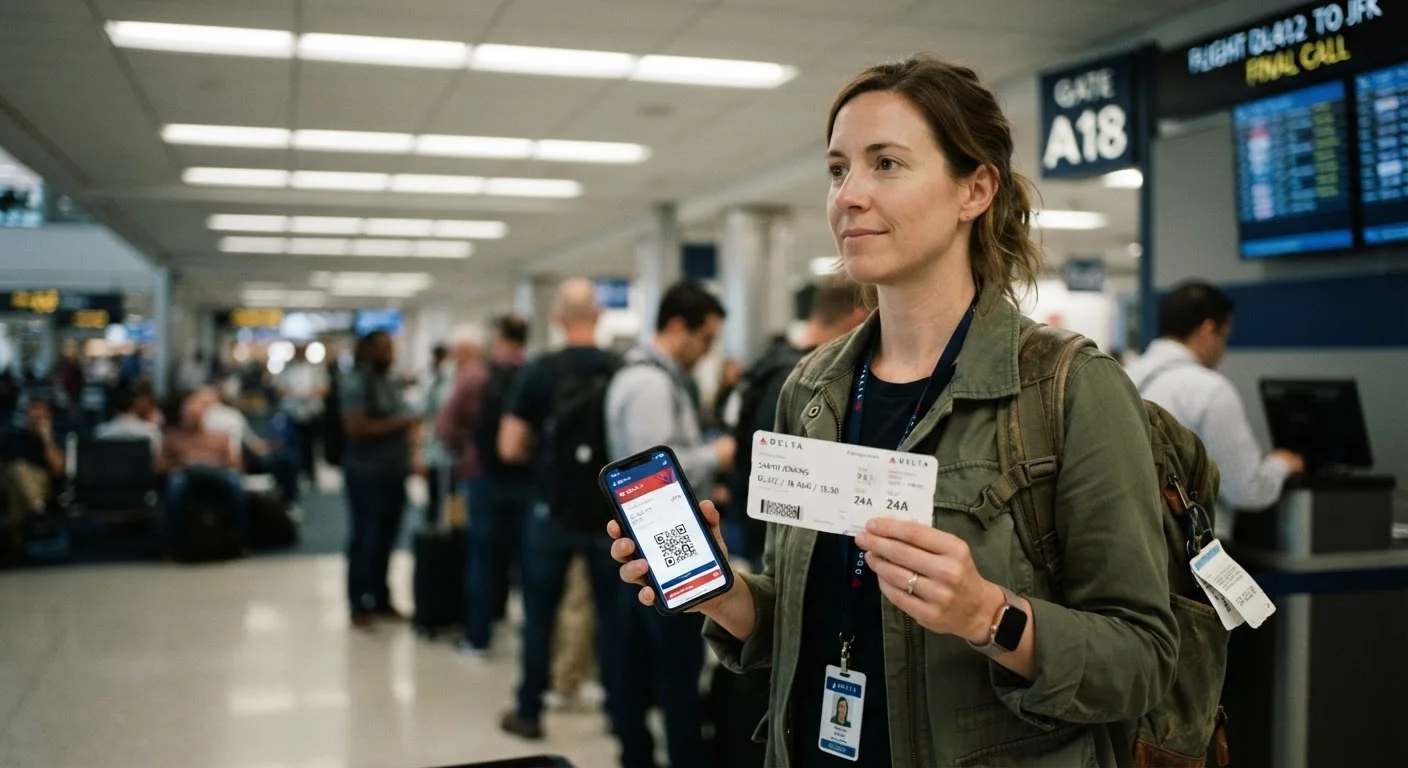
Key Takeaways
Instant access across multiple devices
Boarding passes, hotel confirmations, and e-visas can be stored on your phone, tablet, and emailed to yourself - retrievable from almost anywhere with a signal.
Harder to physically lose or damage
A digital file can't be left in a taxi or soaked in a rainstorm, making it inherently more durable than a paper document in everyday transit situations.
Faster processing at modern checkpoints
QR-code scanning at airline gates and e-visa verification at many major international airports is typically quicker than manual document review.
Eco-friendly and space-saving
Eliminating paper boarding passes reduces waste and keeps your bag or pockets less cluttered, a small but real quality-of-life improvement on longer trips.
Completely useless with a dead battery
If your phone dies and you have no charger or backup device, a digital boarding pass or e-visa becomes inaccessible at exactly the moment you need it most.
Not universally accepted at all borders
Some countries' immigration authorities and smaller regional airports still require printed documentation; assuming universal digital acceptance can result in denied boarding or entry.
Vulnerable to technical glitches
App crashes, airline system outages, or a corrupted download can make a digital document temporarily unreadable - and airline help desks at peak hours aren't always quick fixes.
Requires reliable connectivity to retrieve
Cloud-stored documents that aren't downloaded offline depend on Wi-Fi or mobile data, which can be unavailable, blocked by roaming settings, or simply too slow in some terminals.
Our Verdict
Neither format wins outright - each has real failure points that can strand you at a border or gate. Digital documents streamline day-to-day travel, while paper backups provide a safety net that technology simply can't replicate. For beginner travelers especially, carrying both is the most resilient strategy.
Travelers who want maximum confidence should default to digital for convenience and always carry printed copies of critical documents like visas, confirmation numbers, and insurance details.
Why This Choice Matters More Than It Sounds
Packing your bags is one thing. Making sure the right documents reach the right hands at the right moment is another challenge entirely. Whether it's a boarding pass scanned at the gate, a visa checked at the border, or a hotel confirmation handed to a front-desk agent, your travel documents are the backbone of every trip.
The shift toward digital formats - e-tickets, mobile boarding passes, e-visas, and PDF confirmations - has made travel noticeably smoother for millions of people. But smoother isn't the same as foolproof. Before you decide to ditch the printer entirely, it's worth understanding exactly where each format thrives and where it can let you down. Check out our guide to key travel document terms if any of the terminology ahead feels unfamiliar.
The Case for Going Digital
Instant access across multiple devices
Boarding passes, hotel confirmations, and e-visas can be stored on your phone, tablet, and emailed to yourself - retrievable from almost anywhere with a signal.
Harder to physically lose or damage
A digital file can't be left in a taxi or soaked in a rainstorm, making it inherently more durable than a paper document in everyday transit situations.
Faster processing at modern checkpoints
QR-code scanning at airline gates and e-visa verification at many major international airports is typically quicker than manual document review.
Eco-friendly and space-saving
Eliminating paper boarding passes reduces waste and keeps your bag or pockets less cluttered, a small but real quality-of-life improvement on longer trips.
Digital documents genuinely shine in everyday airport and transit situations. Airlines, hotels, and many border agencies have invested heavily in scanning infrastructure, making QR codes and e-visas faster to process than physical paper. You also can't spill coffee on a file stored in your cloud account.
That said, the real advantage of going digital is consolidation. Keeping scanned copies of your passport, insurance card, and itinerary in a secure cloud folder means a lost wallet doesn't have to become a trip-ending disaster.
Where Digital Documents Fall Short
Completely useless with a dead battery
If your phone dies and you have no charger or backup device, a digital boarding pass or e-visa becomes inaccessible at exactly the moment you need it most.
Not universally accepted at all borders
Some countries' immigration authorities and smaller regional airports still require printed documentation; assuming universal digital acceptance can result in denied boarding or entry.
Vulnerable to technical glitches
App crashes, airline system outages, or a corrupted download can make a digital document temporarily unreadable - and airline help desks at peak hours aren't always quick fixes.
Requires reliable connectivity to retrieve
Cloud-stored documents that aren't downloaded offline depend on Wi-Fi or mobile data, which can be unavailable, blocked by roaming settings, or simply too slow in some terminals.
The single biggest vulnerability of digital documents is device dependency. A dead battery, a cracked screen, or a roaming data block can all render a mobile boarding pass completely inaccessible at the worst possible moment. Airport Wi-Fi is notoriously unreliable, and some international terminals have very limited connectivity.
Beyond technology failures, some destinations - particularly certain countries' immigration desks and smaller regional airports - still require printed visas or confirmation letters. Assuming digital acceptance everywhere is a gamble that doesn't always pay off. Always verify requirements directly with official embassy or carrier sources before you travel. Our visa requirements guide walks through how to read those rules carefully.
E-Visas vs. Visa-on-Arrival: Know the Difference
An e-visa (electronic visa) is approved before you travel and may need to be presented digitally or as a printout depending on the destination country's requirements. A visa-on-arrival is obtained at the border and typically requires no advance digital document. Always check the specific entry requirements for your destination on that country's official immigration or embassy website - policies change and vary significantly by nationality.
Building a Hybrid System That Actually Works
The most travel-tested approach isn't choosing one format - it's layering both deliberately. Think of digital as your primary and paper as your emergency parachute.
- Download everything offline before you leave home: boarding passes, hotel confirmations, and any e-visa PDFs saved directly to your phone's storage, not just cloud-linked.
- Print one clean set of critical documents - passport data page copy, visa approvals, travel insurance summary, and key reservation confirmations - and store them separately from your phone.
- Charge aggressively. A portable battery pack weighs almost nothing and eliminates the single most common digital document failure.
This hybrid habit takes about fifteen extra minutes at home and can prevent hours of chaos at a gate or border. For a complete pre-departure routine, see our pre-departure checklist.
90%+
Major airlines offering mobile boarding passes
Most large carriers now support mobile boarding passes, though acceptance at international partner airports can vary.
1 in 3
Travelers who have experienced a phone issue while abroad
Surveys by travel assistance companies consistently find device failures - battery, screen, or connectivity - among the most common technology problems travelers face.
Situations Where Paper Still Wins Outright
Paper documents aren't nostalgia - they're genuinely superior in several specific scenarios:
- Long-haul international flights with layovers in countries that stamp physical visas or require paper arrival cards.
- Remote destinations with limited or no mobile infrastructure, where downloading anything on arrival is simply not possible.
- Travel insurance claims, which often require original or printed documentation to process efficiently.
- Cruise embarkation, where many lines still check printed luggage tags and booking confirmations at the pier.
The reliability question here mirrors a broader navigation debate - just as experienced road trippers still carry paper maps for areas with no signal, seasoned travelers keep printed document backups for moments when digital simply isn't enough.